











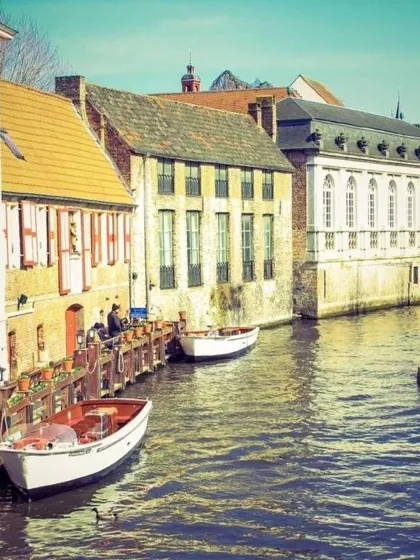
Stop paying for photo storage.

Memvo backs up every photo and video on your iPhone and Mac, in original quality, to a private channel in your own Telegram account. Telegram keeps it for free.

  • Free and open source
  • No Memvo servers or accounts
  • Originals, bit for bit

iOS 17 and macOS 15 or later. TestFlight and the App Store are coming. Memvo uses the Telegram API and isn't made or endorsed by Telegram.

HEIC, ProRAW, 4K HDR and Live Photos, backed up bit for bit with their dates and places.

Your photos. Your Telegram. Nobody in the middle.No 5 GB limit. No monthly plan.End-to-end encrypted if you want it: even Telegram can't look.Originals, bit for bit. Nothing compressed.No ads, no analytics, no AI reading your memories.New phone? Sign in, and it's all back.
Every line of code is public.A private channel only you can open.Videos open in under a second, the 4K original one tap away.Delete Memvo, and your photos are still in your Telegram.Built for iPhone and Mac, the way Photos works.Free, and it stays free.

Everything Photos does, with a backup you own.

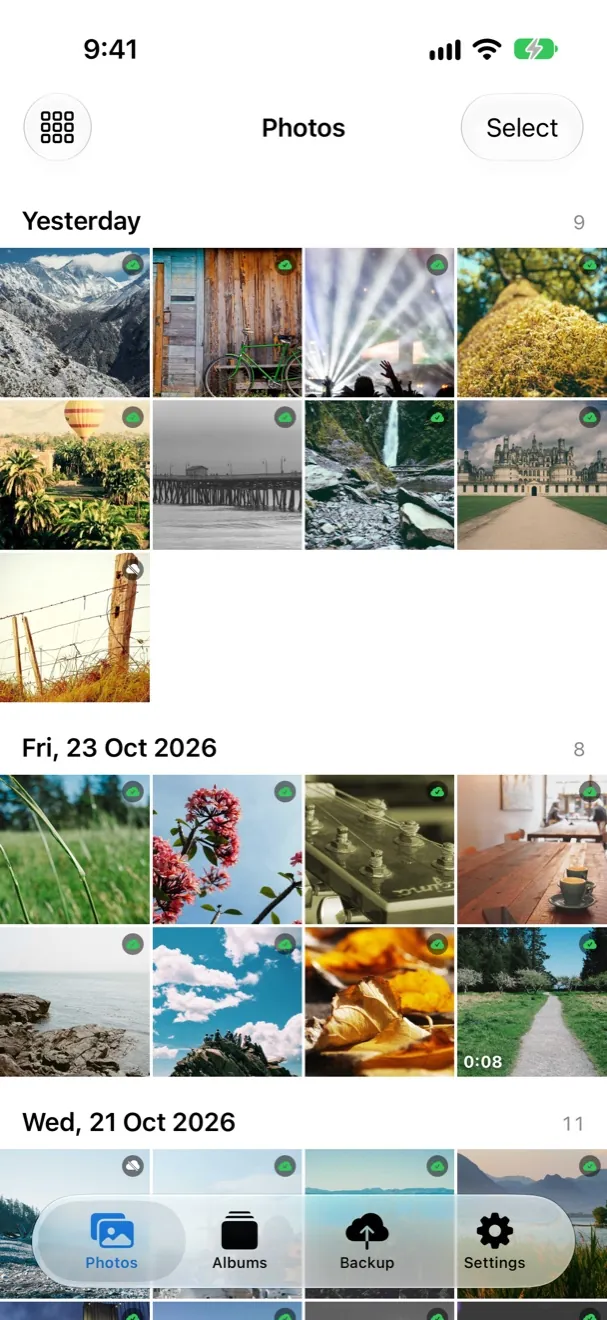
Memvo's photo timeline, grouped by day, with a small green tick on each backed-up photo

One timeline for everything

Photos on this iPhone and everything in your backup, together by day, month or year. Pinch to change the size, drag the date bar to jump years.

The small mark on each photo tells you where it lives: green for backed up, a cloud for only in your backup.
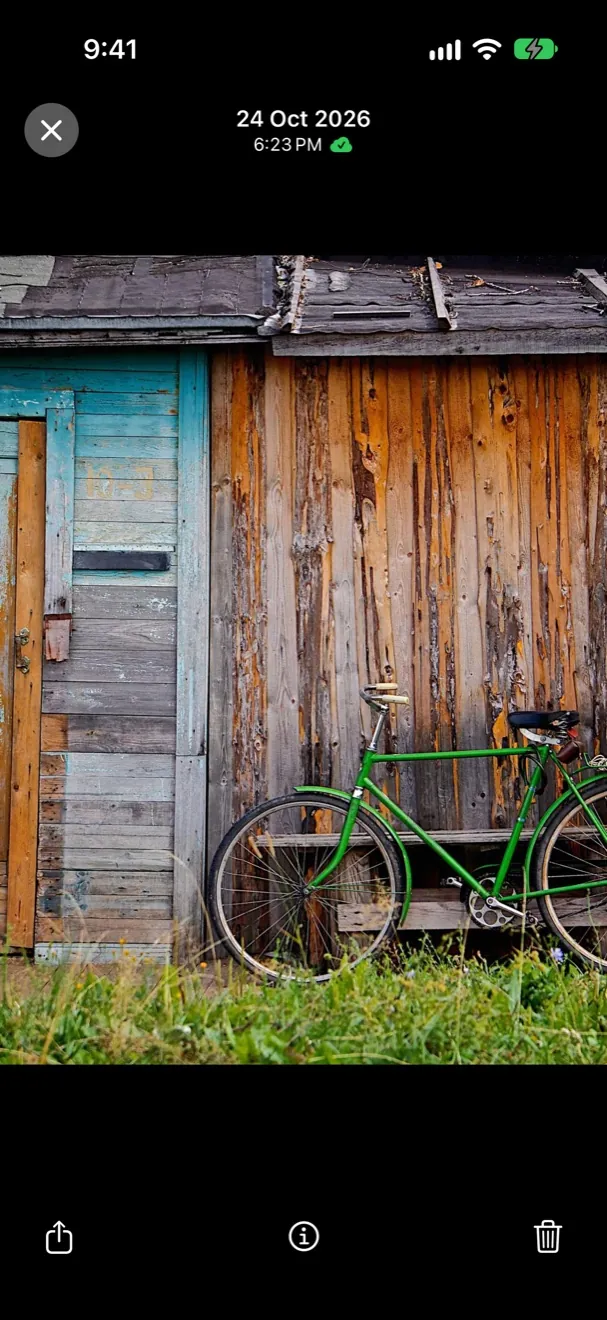
A photo open full screen in Memvo's viewer

Open anything, at full quality

Swipe through photos and Live Photos and zoom right in. Backed-up videos open at once in 1080p, and a tap switches to the 4K original, with seeking, Picture in Picture and AirPlay. Nothing fills up your phone.

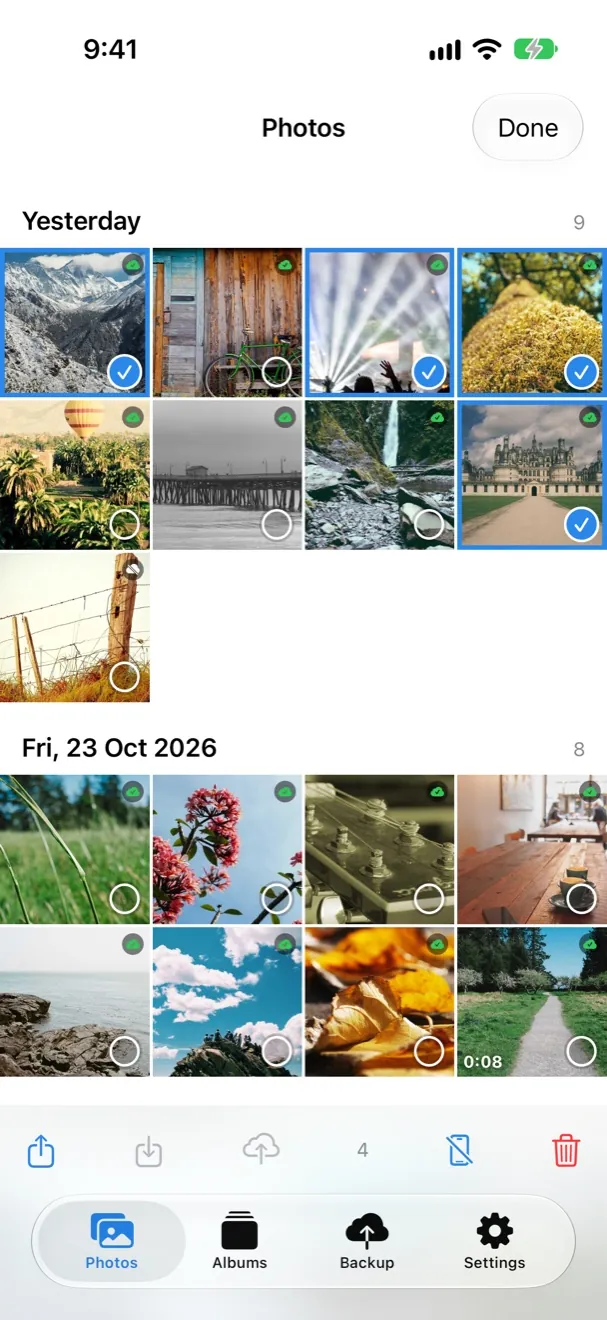
Several photos selected, with share, save, back up and delete buttons

Back up the ones you choose

Tap Back up now for everything, or select a few photos and back up just those. Share, save or delete in one go, exactly like Photos.

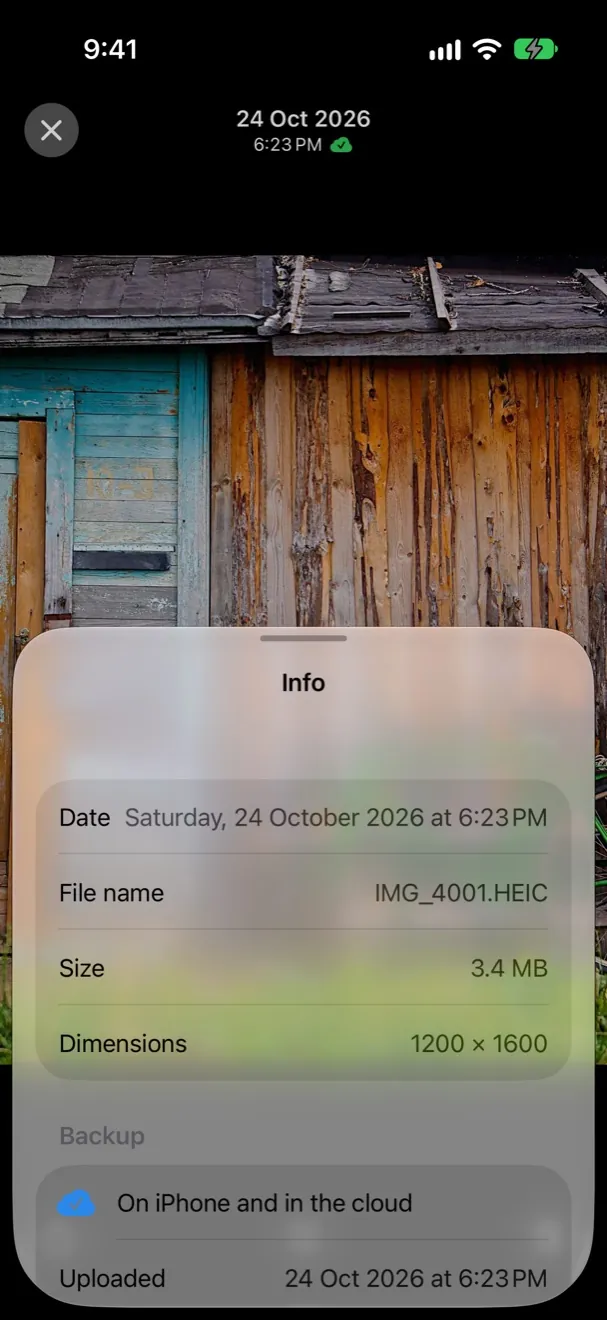
The info panel showing date, file name, size, dimensions and backup status

Every detail, kept

Original file name, size, dimensions, date and place. Memvo marks a photo as backed up only after Telegram has confirmed every byte.

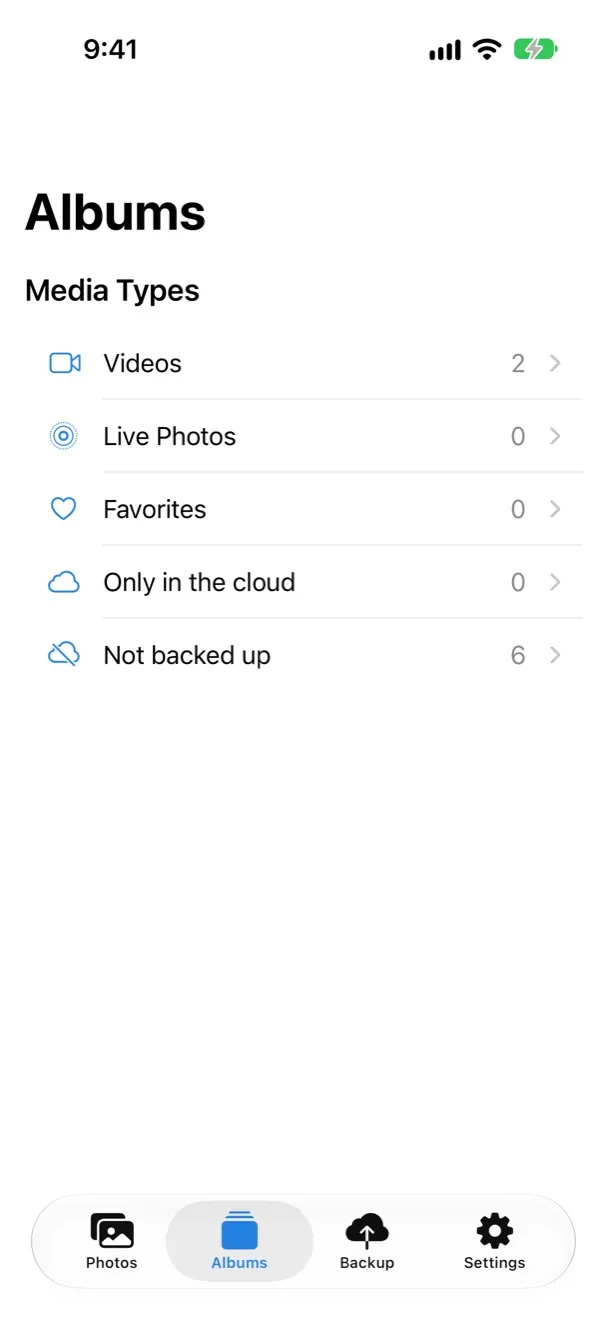
The Albums tab with Videos, Live Photos, Favorites, Only in the cloud and Not backed up

Albums that come back too

Videos, Live Photos, Favorites and your own albums, plus the two lists that matter for a backup: what's only in the cloud, and what isn't backed up yet.

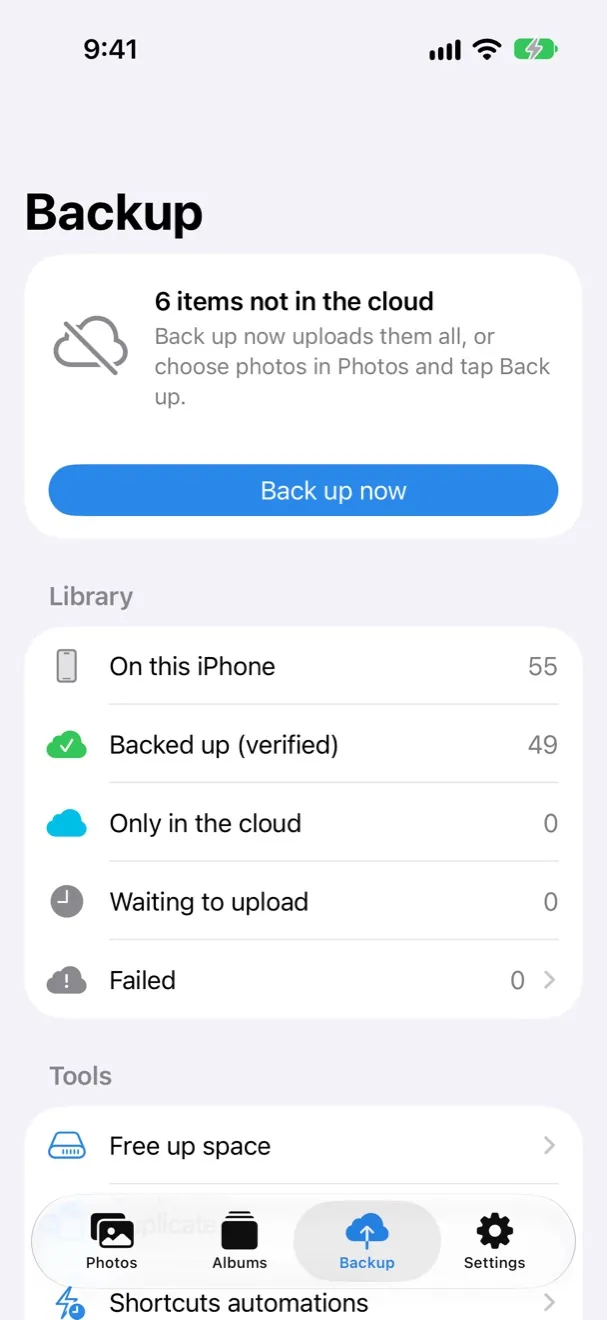
The Backup tab showing items not in the cloud and a Back up now button

Always know where you stand

How many photos are on this iPhone, how many are safely in Telegram, and what's still waiting. Nothing uploads behind your back unless you turn on automatic backup.

Made for a lifetime of photos

Originals, bit for bit
HEIC, ProRAW, ProRes, 4K, HDR and Dolby Vision, with EXIF and location intact. Edits are kept next to the original.
Files of any size
Up to 2 GB in one go, 4 GB with Telegram Premium. Bigger videos are split into parts and joined again when you open them.
Fast from the cloud
Each video gets a small 1080p version as it's backed up, so it opens in under a second and seeks instantly, even on mobile data. One tap switches to the 4K original. Saving always gives you the original.
Never twice
Every photo is matched by its fingerprint, so nothing uploads twice, even after a reinstall or from another device.
Optional encryption
AES-256 on your device with a passphrase only you know. Telegram stores files it can't open.
Restore by signing in
New phone? Sign in and pick your library. Dates, places, albums and Live Photos all come back.
Free up space, safely
Only photos that Memvo has just checked are complete in Telegram are offered for removal from your phone.
On your Mac too
The same library on a Mac, with a sidebar like Photos, keyboard shortcuts, drag to Finder and a menu bar status.

Set up in a minute

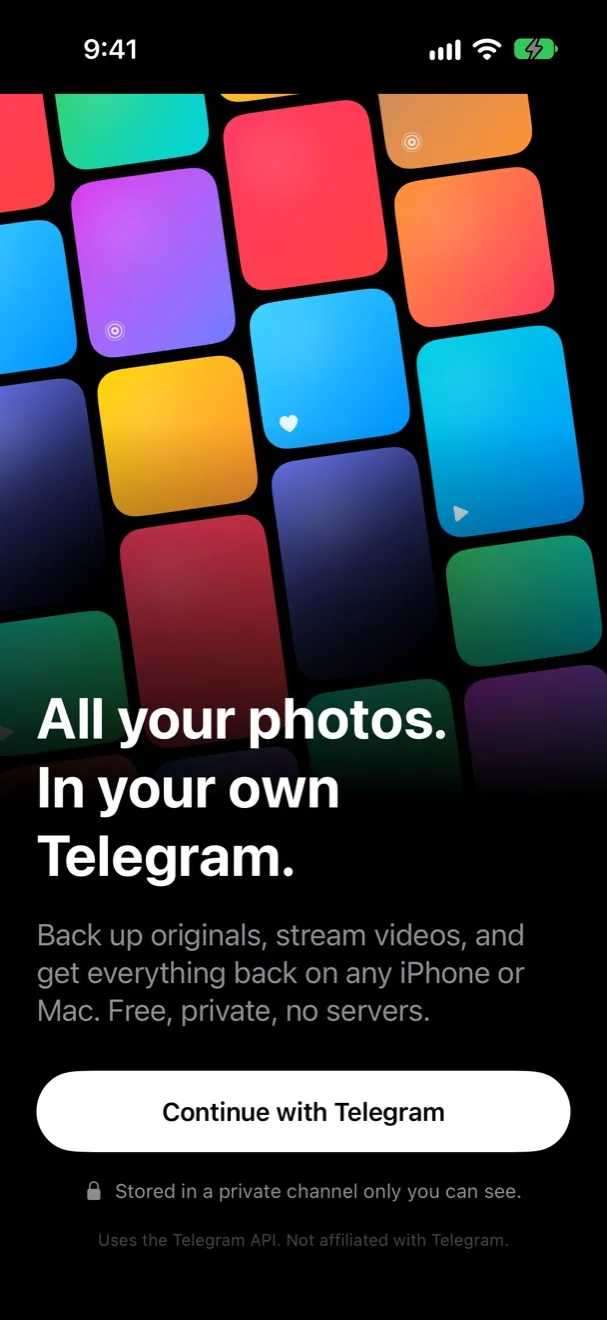
  1. Memvo's welcome screen

    Open Memvo

    Tap Continue with Telegram. There's no Memvo account to make.

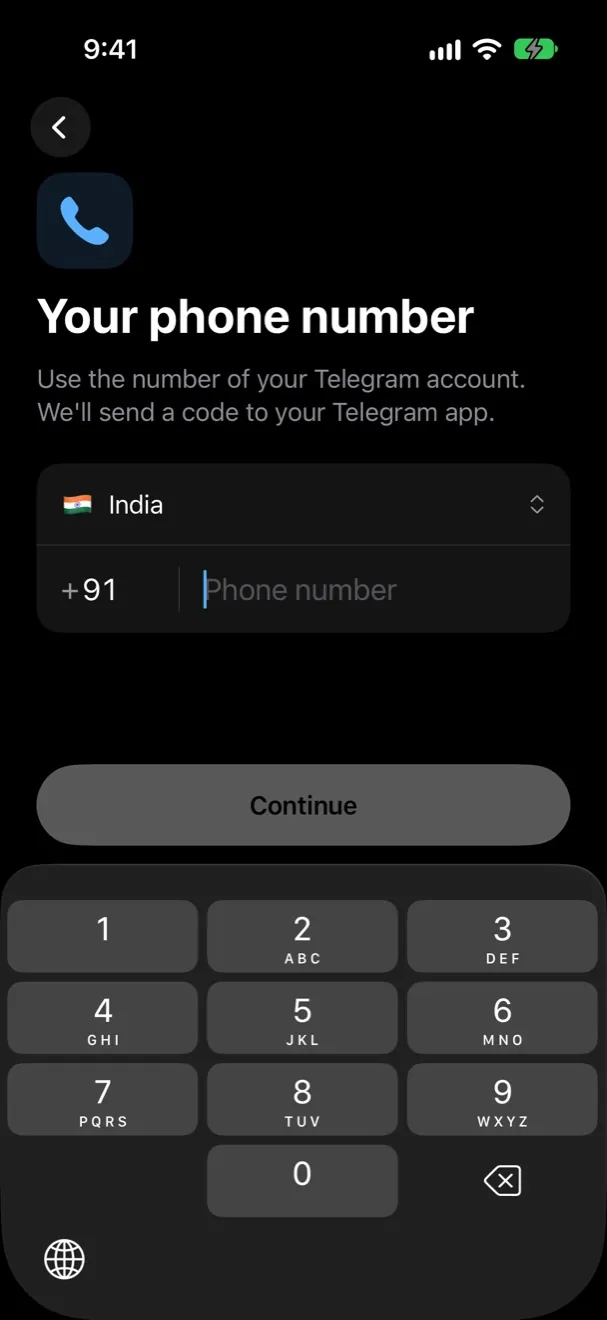
  2. Entering a phone number to sign in

    Sign in with Telegram

    Your phone number, then the code Telegram sends to your other Telegram apps.

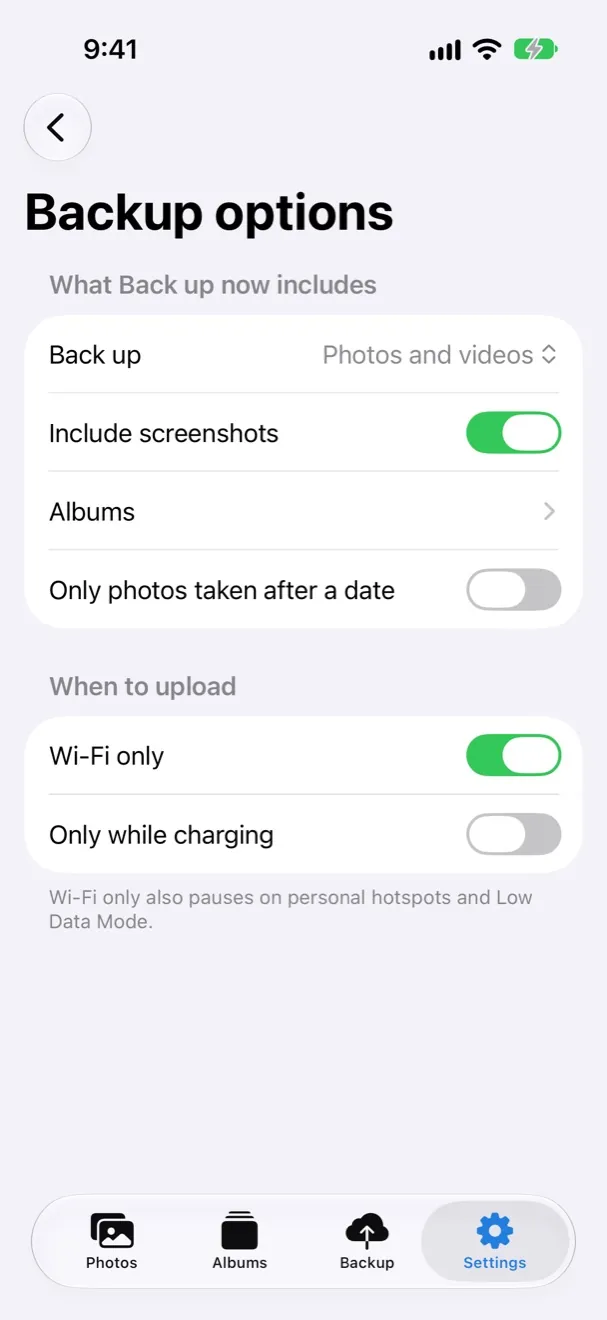
  3. Backup options: what to back up and when

    Choose and back up

    Pick what to include and when it may upload, then tap Back up now. That's it.

Nobody in the middle.

Memvo has no servers and no accounts of its own. Your photos travel from your device to your Telegram account and nowhere else. No analytics, no ads, no tracking, and every line of code that proves it is public.

Questions people ask

The short answers. Telegram's rules are Telegram's to set, so the answers link to Telegram's own pages.

Can Telegram see my photos?

In a Standard library, files are encrypted on the way and stored like any Telegram cloud chat, which isn't end-to-end encrypted (Telegram FAQ). In an End-to-end encrypted library, Memvo encrypts every file and its details on your device first, so Telegram only ever holds files it can't open.

Is the storage really unlimited?

Telegram describes its cloud storage as unlimited, with files up to 2 GB each, or 4 GB with Telegram Premium (Terms of Service, FAQ). That's Telegram's offer, not a promise Memvo can make, and Telegram can change it. Memvo splits bigger files into parts on its own.

Is this allowed by Telegram?

Yes. Telegram opens its API to third-party apps under the Telegram API Terms of Service. Memvo follows them: it uses its own app key, says clearly that it uses the Telegram API, doesn't put "Telegram" in its name or use Telegram's logo, and doesn't change how Telegram works for anyone else.

Can my account get banned for this?

Backing up your own photos to your own private channel is ordinary use. Bans come from breaking Telegram's Terms of Service, such as spam or scams. Memvo only posts to your private channel, uploads at most two files at a time with a pause between them, and waits whenever Telegram asks it to slow down.

How do I restore on a new phone?

Install Memvo, sign in with the same Telegram account and pick your library. Dates, places, albums and Live Photos come back, and photos already on the phone aren't uploaded again.

What if I delete the channel, or messages in it?

A deleted channel takes every file in it, and it can't be restored by Memvo or anyone else. Photos still on your phone are safe: after a re-scan they show as not backed up, and Retry uploads them again. Please don't delete or edit messages in the library channel by hand.

Can Memvo delete photos from my phone?

Only when you ask, and iOS always asks you to confirm. Free up space offers only photos that Memvo has just checked are complete in Telegram and unchanged since their backup.

Is it really free? Who pays for it?

Memvo is free and open source under the GPL-3.0, and every feature stays free. Your storage is your own Telegram account's, so there's no plan to buy. Making Memvo isn't free, though: the Apple developer membership costs $99 a year, plus test devices, the website and a lot of evenings. If Memvo saves you a storage plan, a small contribution keeps it going.

Frozen accounts, login codes, encryption, storage and more: read the full FAQ. Still stuck? Ask in Discussions.

Built in the open

Every line of Memvo is on GitHub under the GPL-3.0. Report a bug, suggest an idea, translate, or send a pull request. The contributing guide explains how ideas become features.